Version 1.4 with Character/Paragraph Styles
I'm very excited to announce the latest version of Mojave Paint, now with much more powerful typographic options. The basics like font, size and color are still available in the Type tool options strip, and these can be used both for "preloading" for your next type layer or for changing an existing type layer.
But now, you can select a type layer and a whole plethora of typographic options appear in the Properties panel. It looks like this:
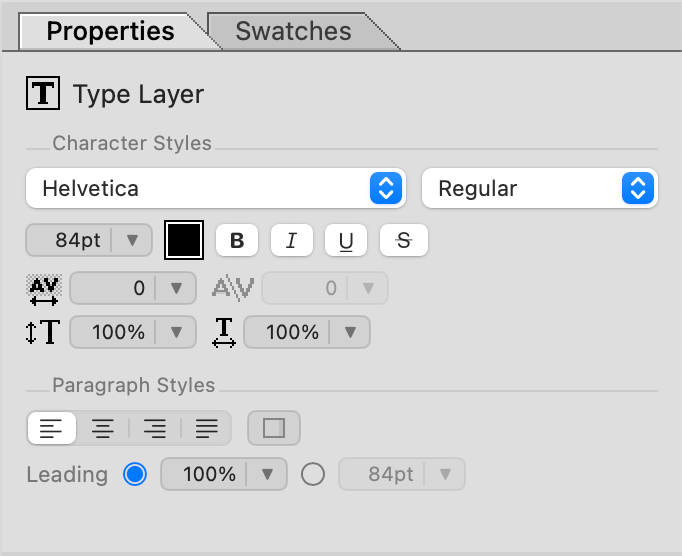
Type layers in Mojave Paint can be framed or unframed, similar to how Photoshop works. You click to place an unframed type layer, which never wraps until you give it a linebreak. Or you can drag a rectangle which defines a frame width, and the text will flow within that frame. 1.4 adds the ability to toggle this frame on and off, and it adds left/center/right alignment, which does behave a bit differently depending on if the type layer is framed or not. Easy to figure out once you start playing with it.
Character styles have been expanded to include tracking, kerning, and horizontal/vertical scaling. The tracking and kerning units are in 1/1000th of an em, so -200 would mean push the characters together by 0.2em in CSS terminology.
And paragraph styles introduce adjustable leading, which can either be relative or absolute. Relative is proportional to whatever the native leading would be, and is a great option for when you have mixed font sizes within the same paragraph. Absolute leading puts your lines on a rigid cadence defined in points, useful for getting e.g. "10 on 12" as you would in desktop publishing software.
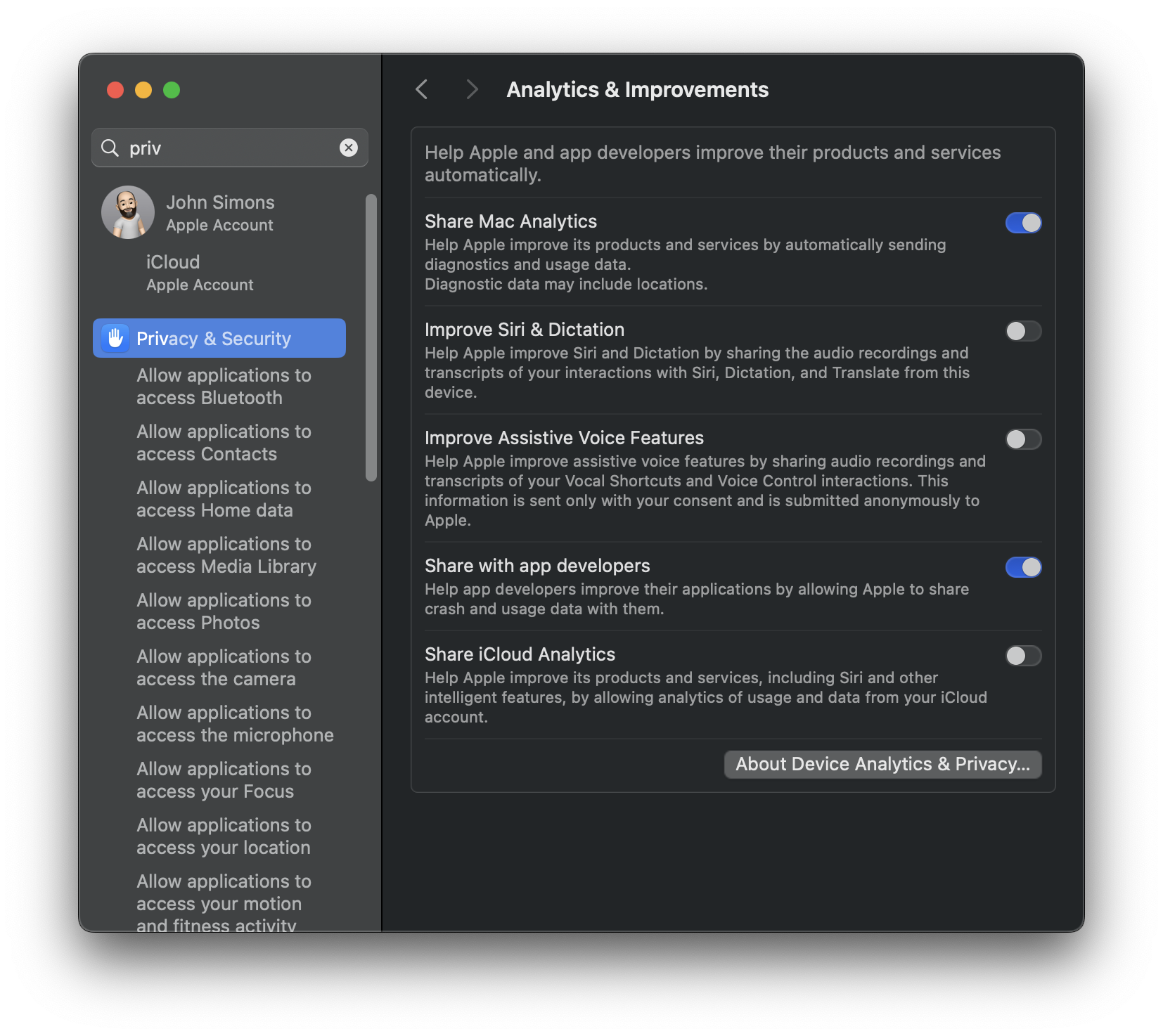
Thanks for checking this out and don't forget to enable "Share with app developers" under System Settings > Analytics & Improvements so I can see any crash reports!