Dogfood, and announcing Dark Mode
I first heard the term "eating your own dogfood" in about 2000, in Gary Kimura's software engineering class at UW. He had been on the Windows NT team, where they developed that version of Windows on the nightly builds of that version of Windows. This creates a lot of pressure to fix the broken things quickly, otherwise you obviously can't any make forward progress.
I've heard the term misused a lot also since then, particular at Google, where they just used it to mean "internal testing." What it actually means is putting software product X into the critical path of development of product X. Blue screen of death while you're trying to compile Windows. GMail going down so the GMail team can't send each other CLs to review. That kind of thing. Not just like "ok everybody, try out Google Photos and report any bugs you see."
When I build the graphical assets for Mojave Paint in Mojave Paint, that's real dogfooding and I love it. One example would be hand drawing all the icons, during which I found a number of bugs in the Pencil tool including "shift to constrain direction locks in before you've even moved the cursor" and "long shift-connected 1px lines could have small gaps due to float imprecision" and plenty of others.

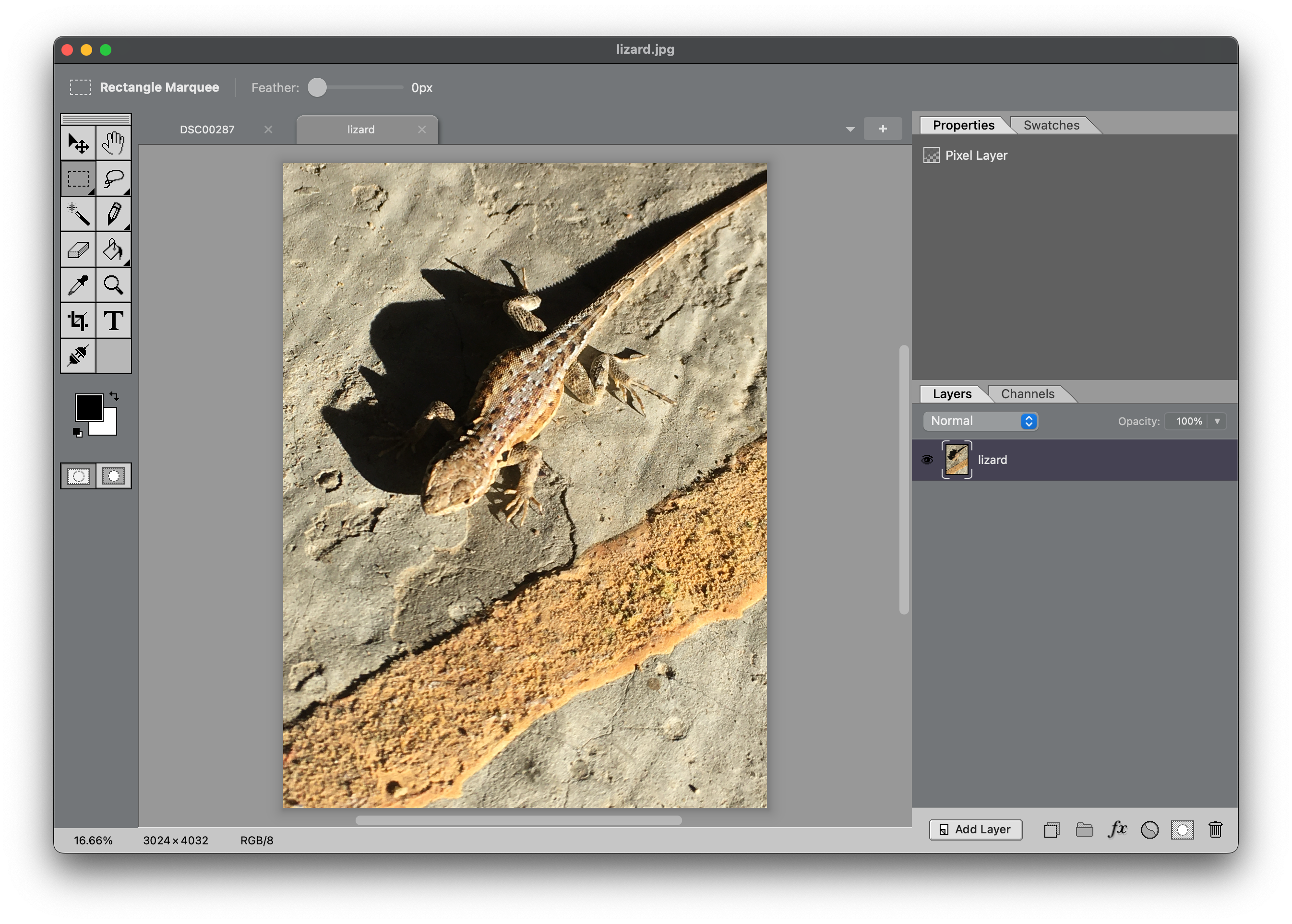
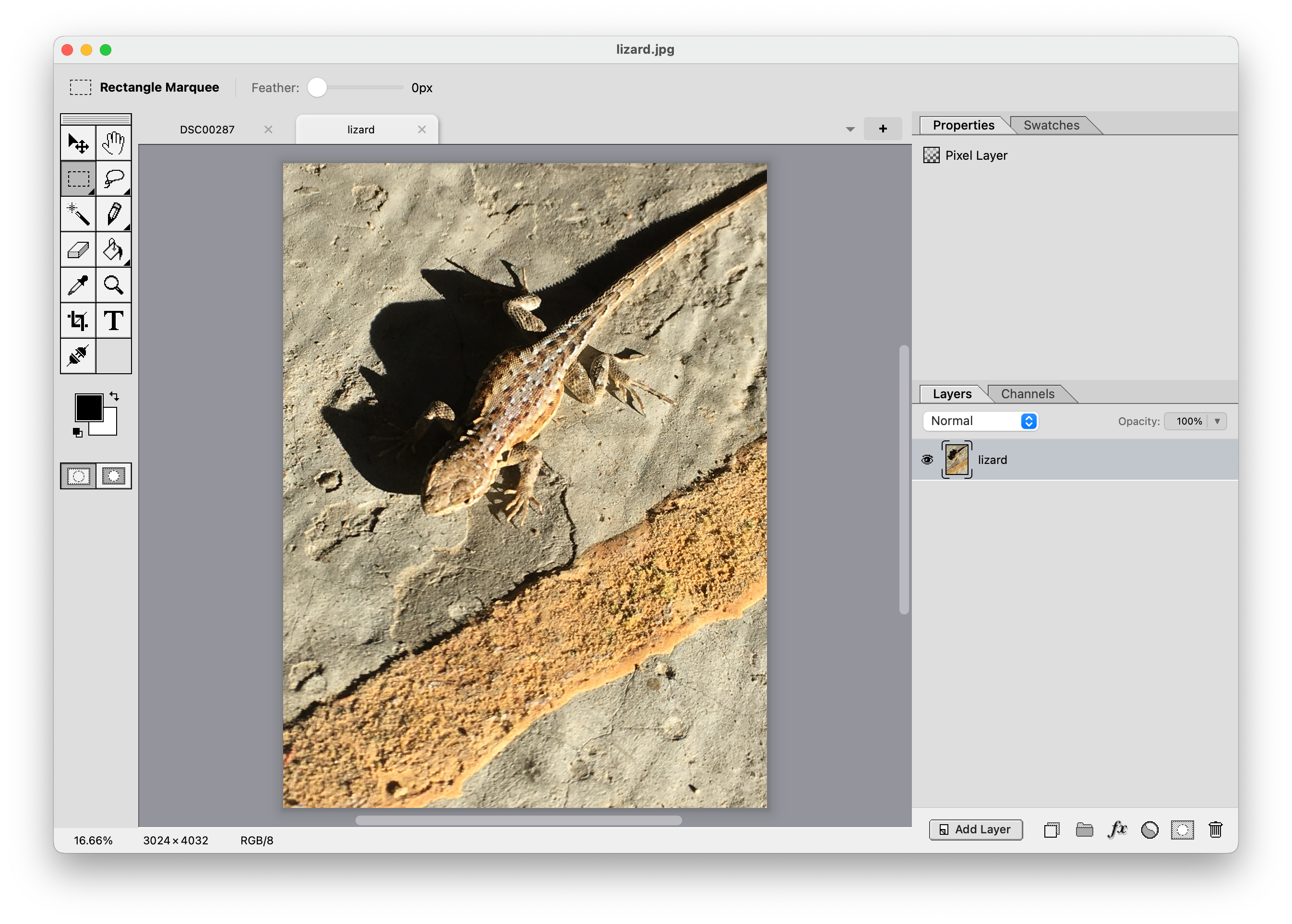
But this latest release really takes the cake. I added a Dark Mode theme, and took the opportunity to update the document tab graphics which were always kind of placeholders. The new tab design uses the new layer styles I only recently added, including drop shadow and inner shadow, and it all comes together in one virtuous dogfood cycle. Once again I found bugs and/or usability issues, including "Merge Down" doing unwanted layer style rasterization when you're just trying to compose shapes together to make a certain silhouette.1
So I'm pleased to announce this 1.4.3 release today with an often-requested Dark Mode theme, and a handful of bug fixes. Here's a preview of the new look, side by side with the original Light Mode theme.
P.S. At this point the only thing I can't use Mojave Paint for while building Mojave Paint is rasterizing SVGs at a particular resolution. Say I purchase some vector art on istockphoto.com and want to rasterize at a particular size, Mojave Paint has no vector art support as of yet. So I'm stuck with Affinity there.
Footnotes
-
The new merge down now behaves as Photoshop 2026 does with respect to layer styles. I often look at Photopea as a proxy for what Photoshop does, as it's 99% similar, but Photopea actually has the old Mojave Paint behavior, where the bottom layer gets its layer styles rasterized on merge down. I would check Photoshop more often but I keep all my Adobe software quarantined on my laptop rather than pollute my main dev machine (Mac Mini) with any of the Adobe shit. ↩