Version 1.3 with Layer Styles
This is a big one! 120-some commits, a couple weeks of working pretty much every waking hour. I present: Layer Styles (aka Layer Effects).
- Stroke
- Bevel
- Drop Shadow
- Outer Glow
- Inner Glow
- Inner Shadow
- Satin
- Color Overlay
- Gradient Overlay
This is the most-upvoted feature on the Interactive Roadmap, and getting it in there extends Mojave Paint's abilities as a design tool enormously. Stroke, Drop Shadow, and Color Overlay in particular are effects you'll be using constantly if you're designing a flyer or a website.
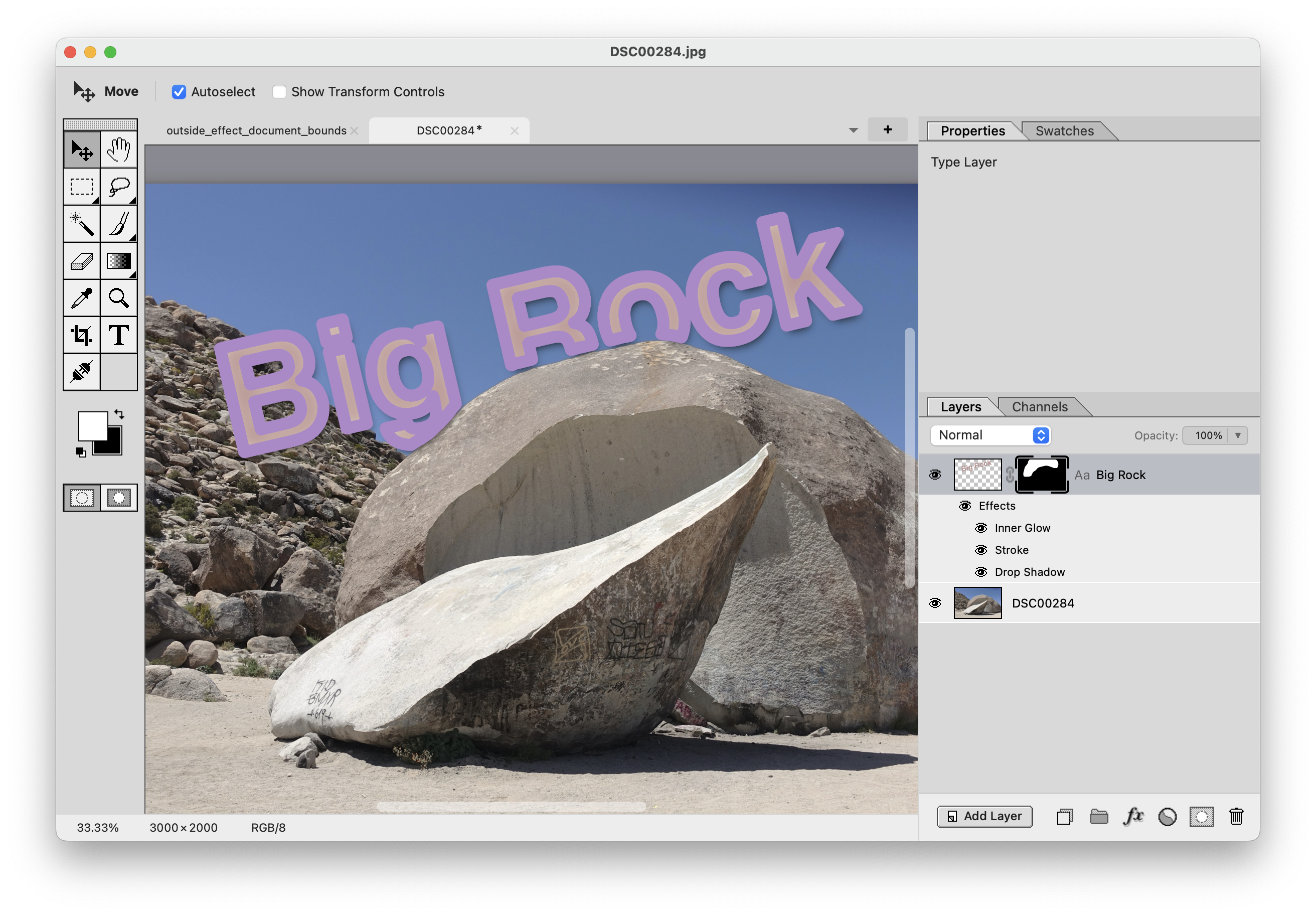
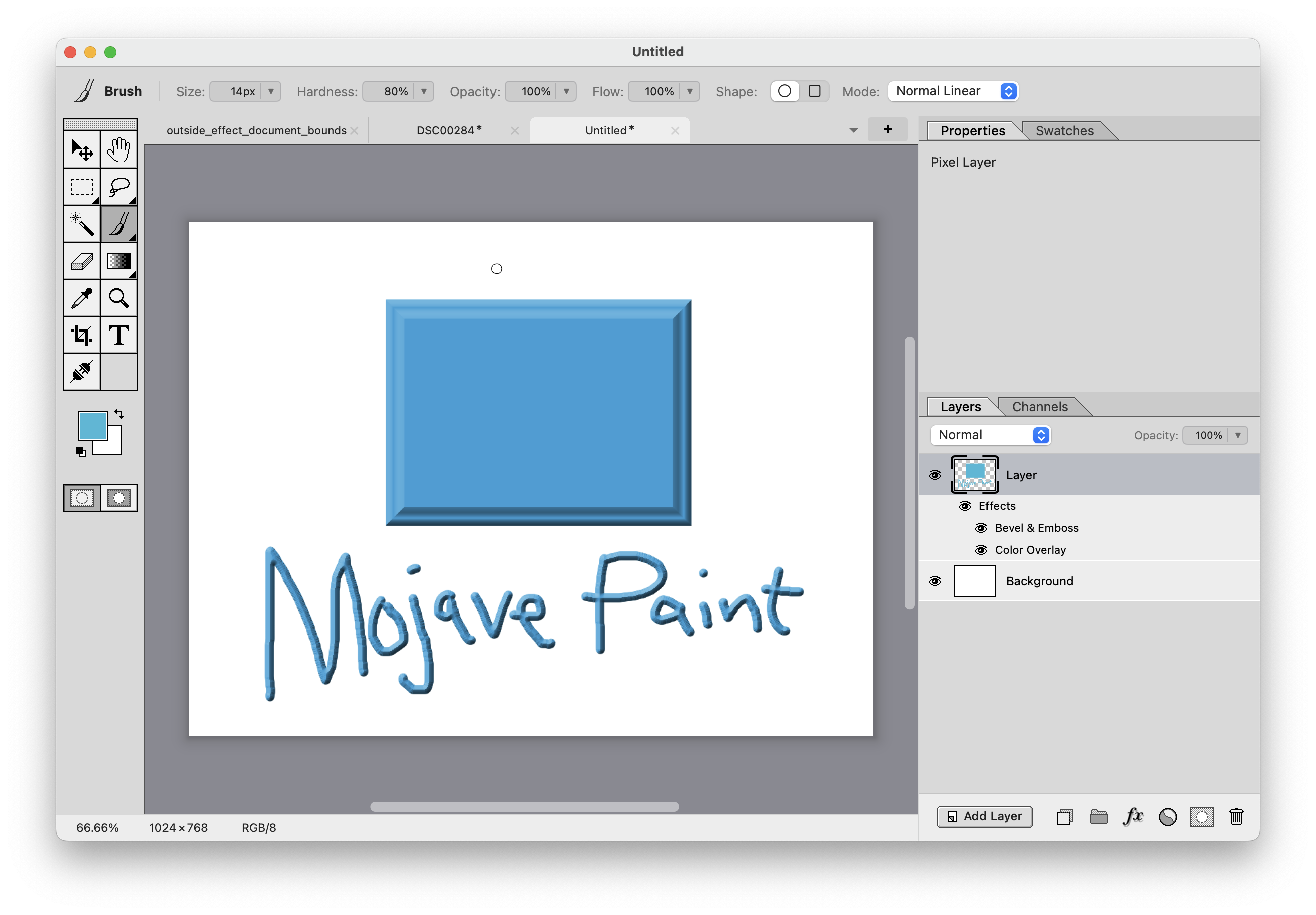
There's a bulletin board at my local coffee shop (Cafe Feva in Seattle) and I often stare at it thinking about how I'd recreate each piece in Mojave Paint. With layer styles I could do most of them now.
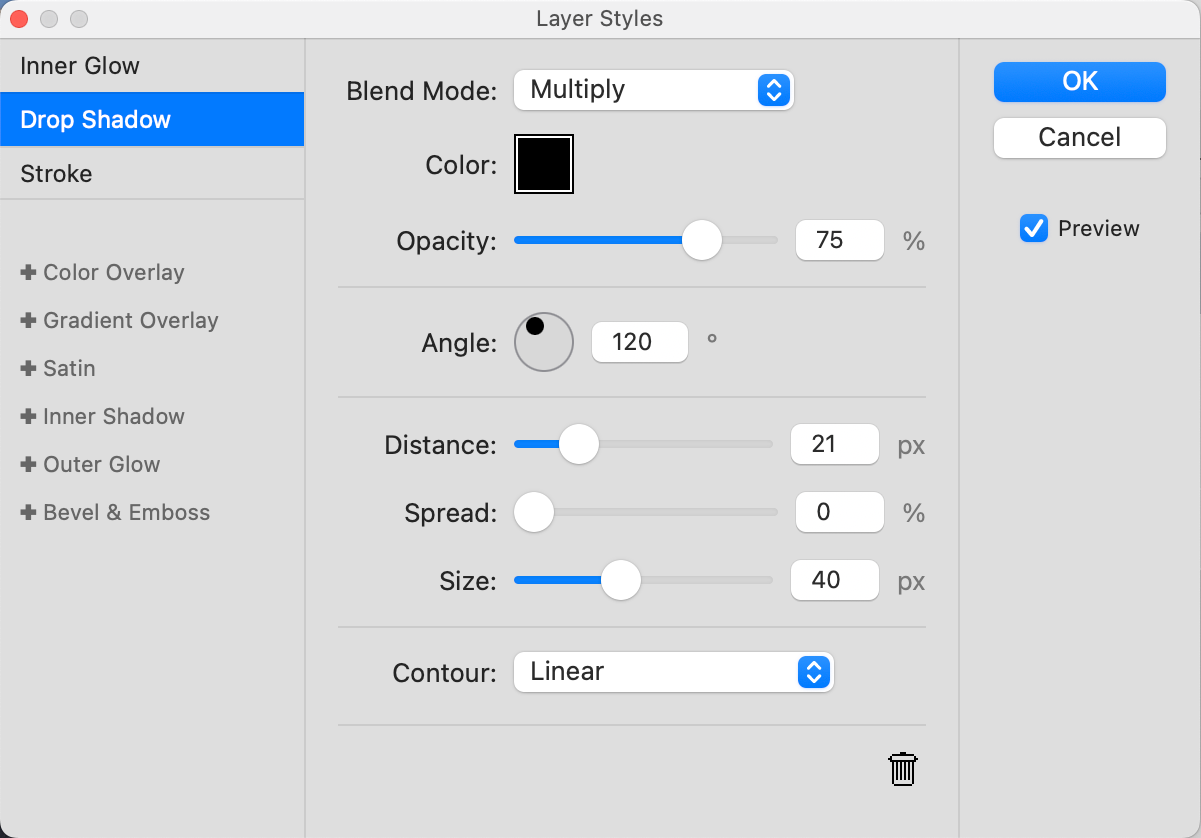
You add layer styles by selecting a layer and clicking the new fx button in the layer panel, which opens this new Layer Styles window. Layer styles copy and paste with the layer, and they also come along when you drag layer content to another document with the move tool. Moreover, you can copy just the layer styles with the right click context menu and paste them onto another set of selected layers.
Hope you give them a try! As always go to https://mojavepaint.app/contact to report bugs.