1.5.3 Highlights: More blend modes (with a two-column layout)
In the last version (1.5.2) I added the Contrast group blend modes: Soft, hard, vivid, linear and pin light as well as hard mix. But that picker menu was getting awfully long and it could sometimes give you a scroll-to-see-more experience which isn't very desirable. I had no more room in there.
So in this release when I wanted to add more blend modes, including color burn and linear burn from the Darken group, color dodge and linear dodge to round out the Lighten group, and subtract and divide in the Comparison group, I realized I needed to rethink that selector.
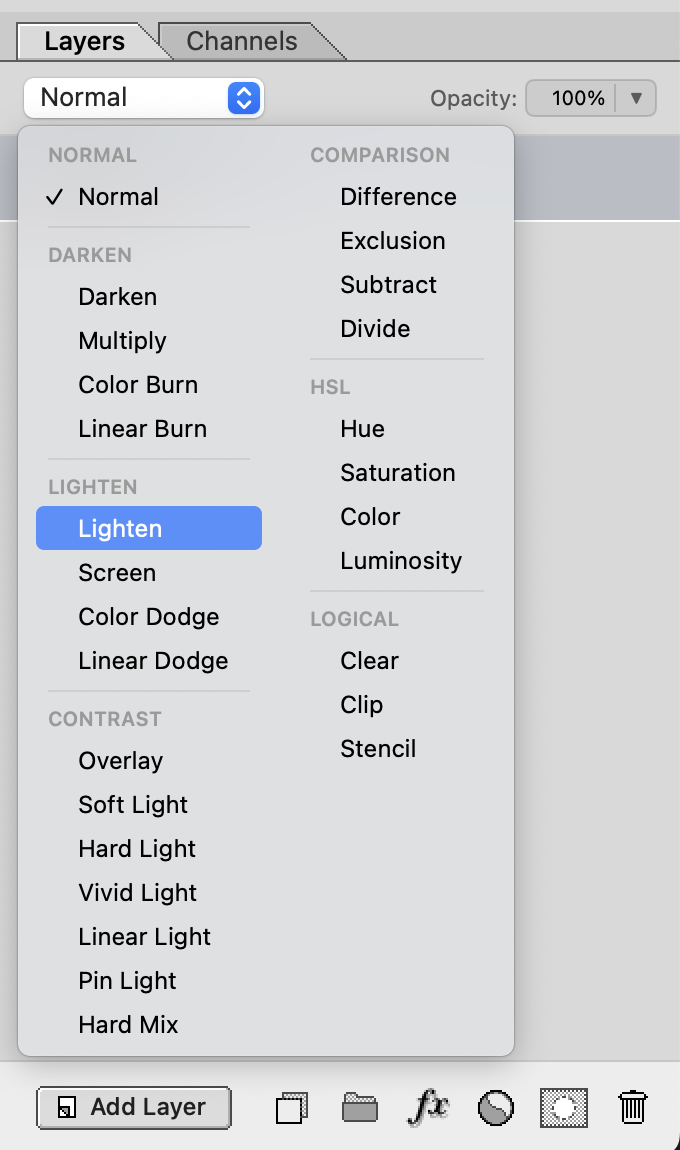
Instead of making them all really tiny I decided to flow them out in two columns. This gives room to spare for more exotic blend modes as they come along, and it gives me room for group headings to make some order of it all. Hover to preview still works as it used to of course!
The "logical" group may look unfamiliar as it's not present in Photoshop, but those are just aliases for some of the classic Porter-Duff operations (with Clear moved from Normal group to this Logical group):
- Clear
- dest-out
- Clip
- src-in
- Stencil
- dest-in
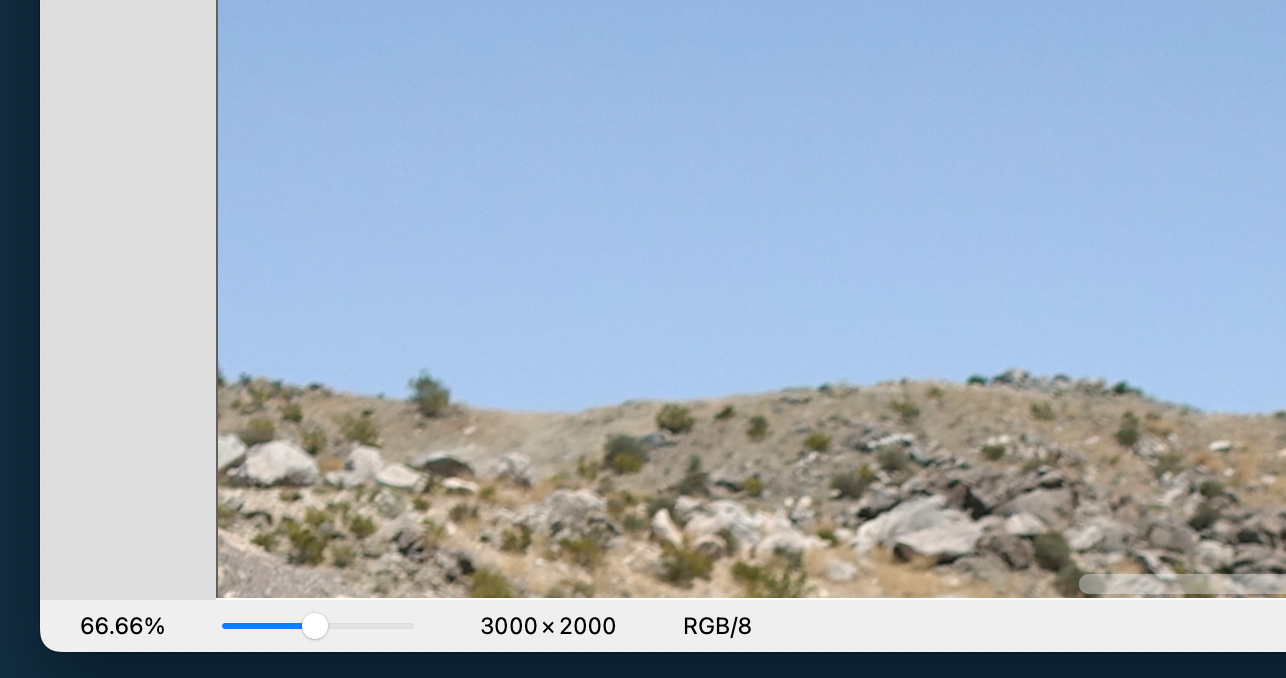
Also in this release: New users might not know to use Option+wheel to zoom so I added a little zoom slider, as you'd see in a typical Navigator experience. And I do have to admit, mouse-only zoom where you don't even have to touch the keyboard is kind of nice sometimes.
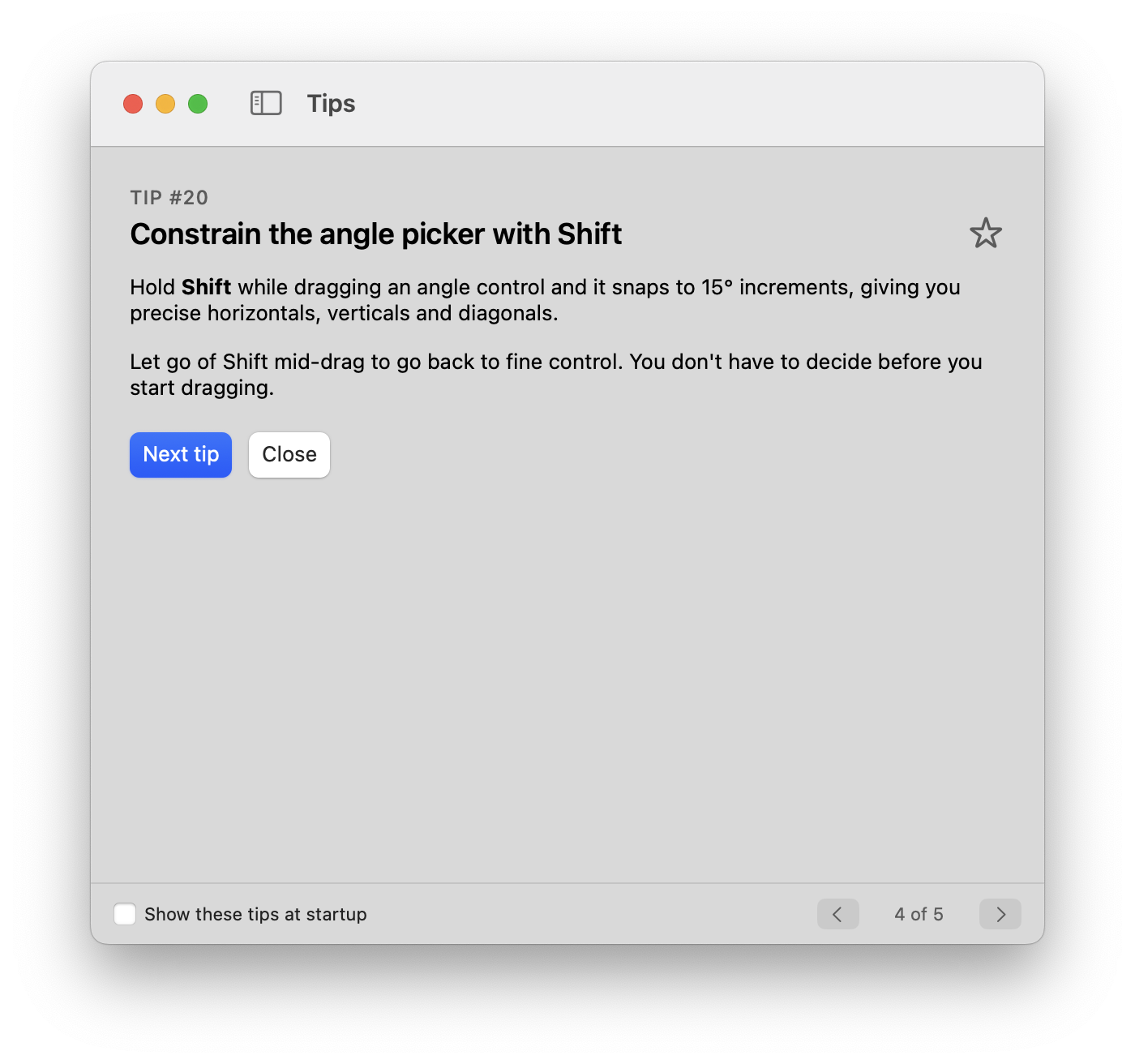
Oh I nearly forgot, this release also gets a new Tips window that opens by default on first launch (but then you can uncheck "open at startup" to suppress.) Not a lot there yet, but I envision a hundred tips or more, most with short videos, sometime down the line.