Explainer: How to clip one layer to another
Edit 10/23/26: This article is basically superceded by Real Clipping Masks.
Let's talk about clipping masks. Mojave Paint doesn't have Photoshop-style clipping masks per se but it does have something similar that I wanted to document.
A quick refresher on how Photoshop's clipping masks work:
The top layer is clipped by the layer below, so it's the top layer's pixels and the bottom layer's opacity. You set this up by hovering on the border between two layers and clicking to make a clipping mask relationship, which indents the top layer. But it's actually a little more complicated that that, because you can indent multiple layers to be clipped by the same clipping layer.
Behind the scenes, Photoshop is putting things in isolated folders. Both at the top level, because a layer is only clipped to the layer immediately below it, and even a level deeper because you can have multiple layers all composited together and then clipped by the clipping layer.
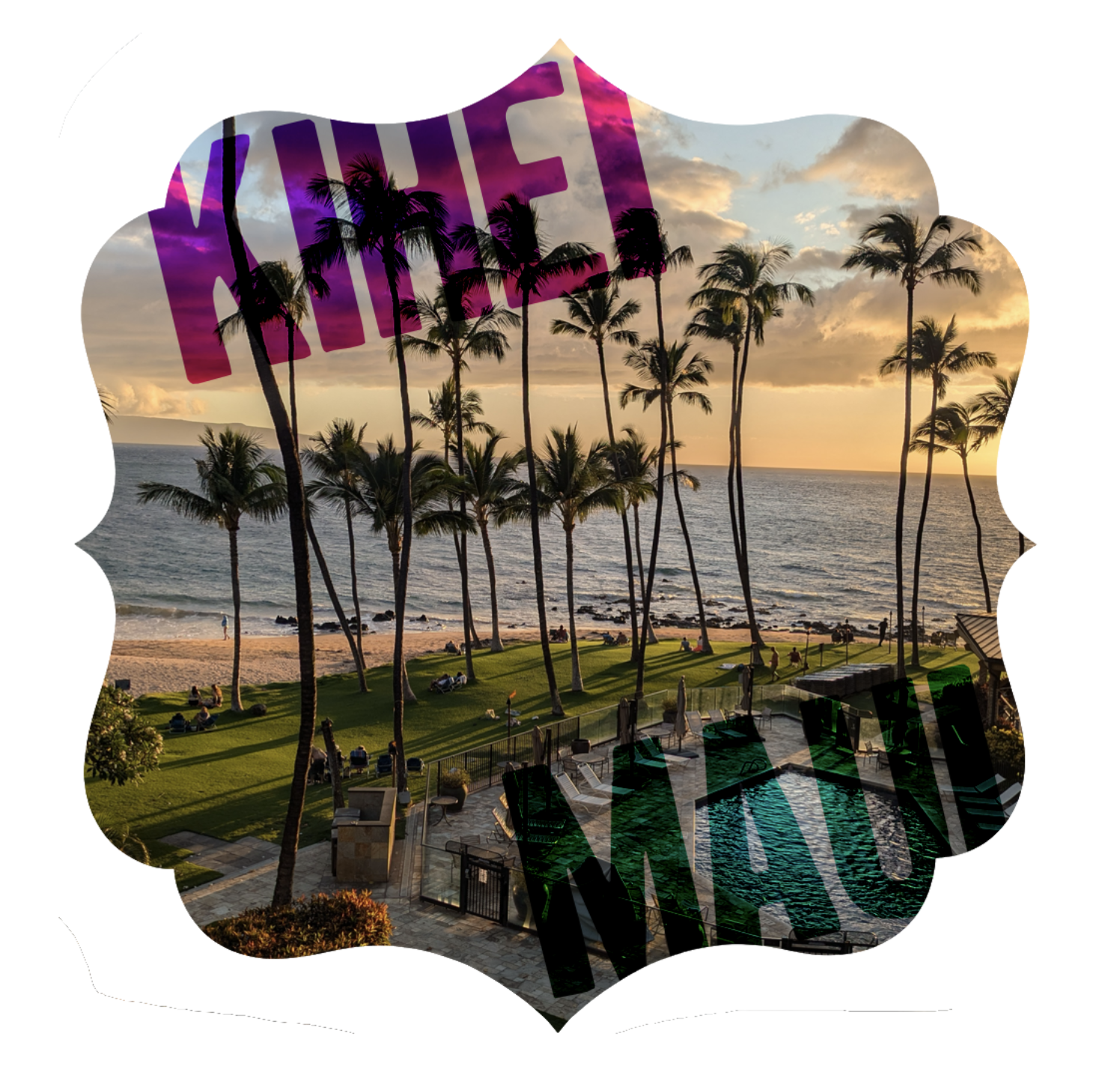
Let me show you the equivalent setup in Mojave Paint. For this example we have a photo I took in Maui at my parent's 50th anniversary, we have a couple of Type layers (saying "Kihei" and "Maui"), and we have the layer we'll be using as the clipping mask, an antique label image.


We can implement this in the Photoshop way verbatim if we want to, with two nested folders and the inner folder's blend mode set to Clip.
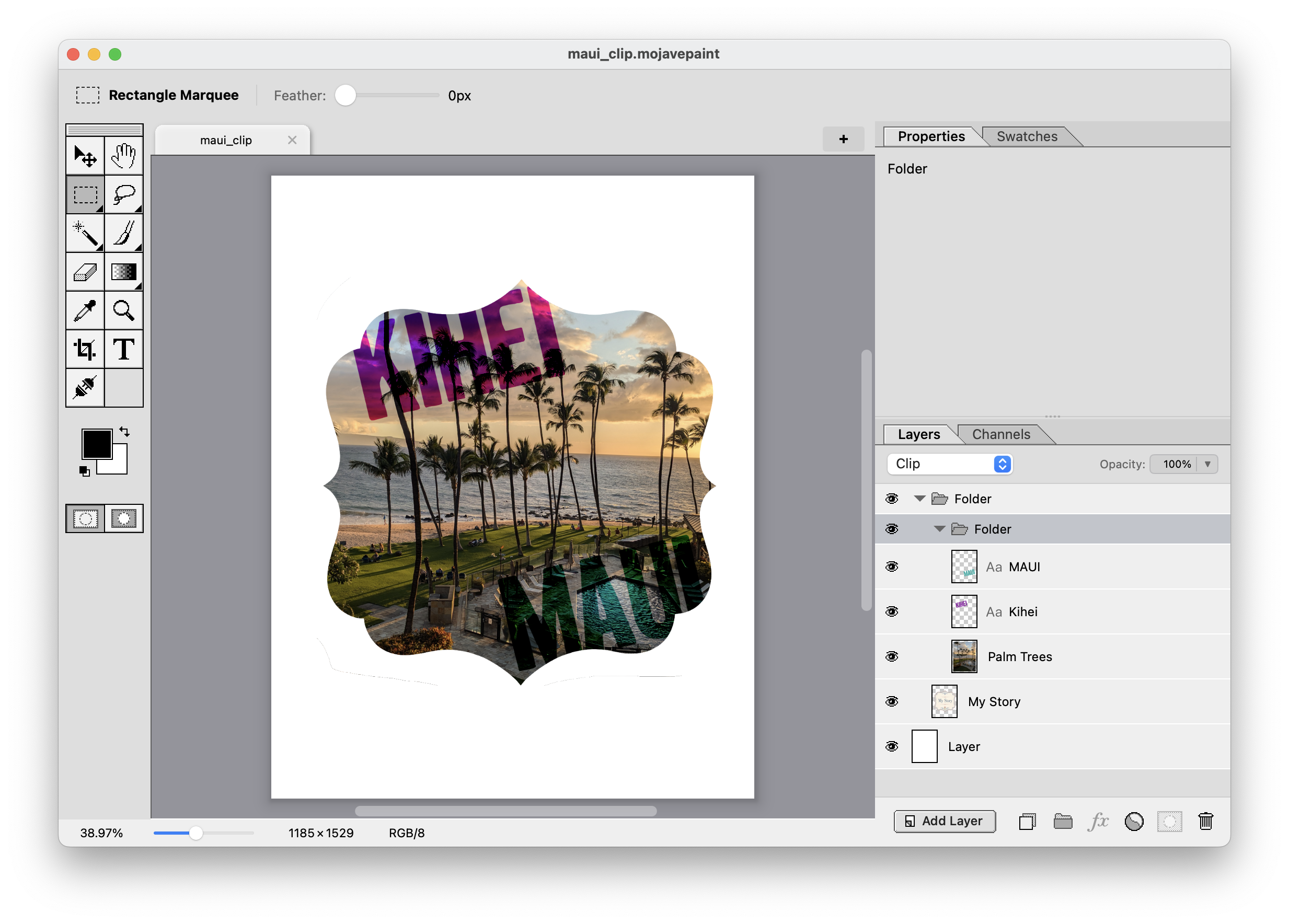
But that's rather complex. Consider this: Layers composite from the bottom up, so if you want to clip multiple layers to one clipping mask, wouldn't it make more sense to put the clipping mask layer on the top? And that's the inverse blending mode in Mojave Paint, which I just call "Stencil." I believe this is the same as the "Mask" blend mode in Acorn, just named differently. Here's how our layer panel looks now using the Stencil blend mode:
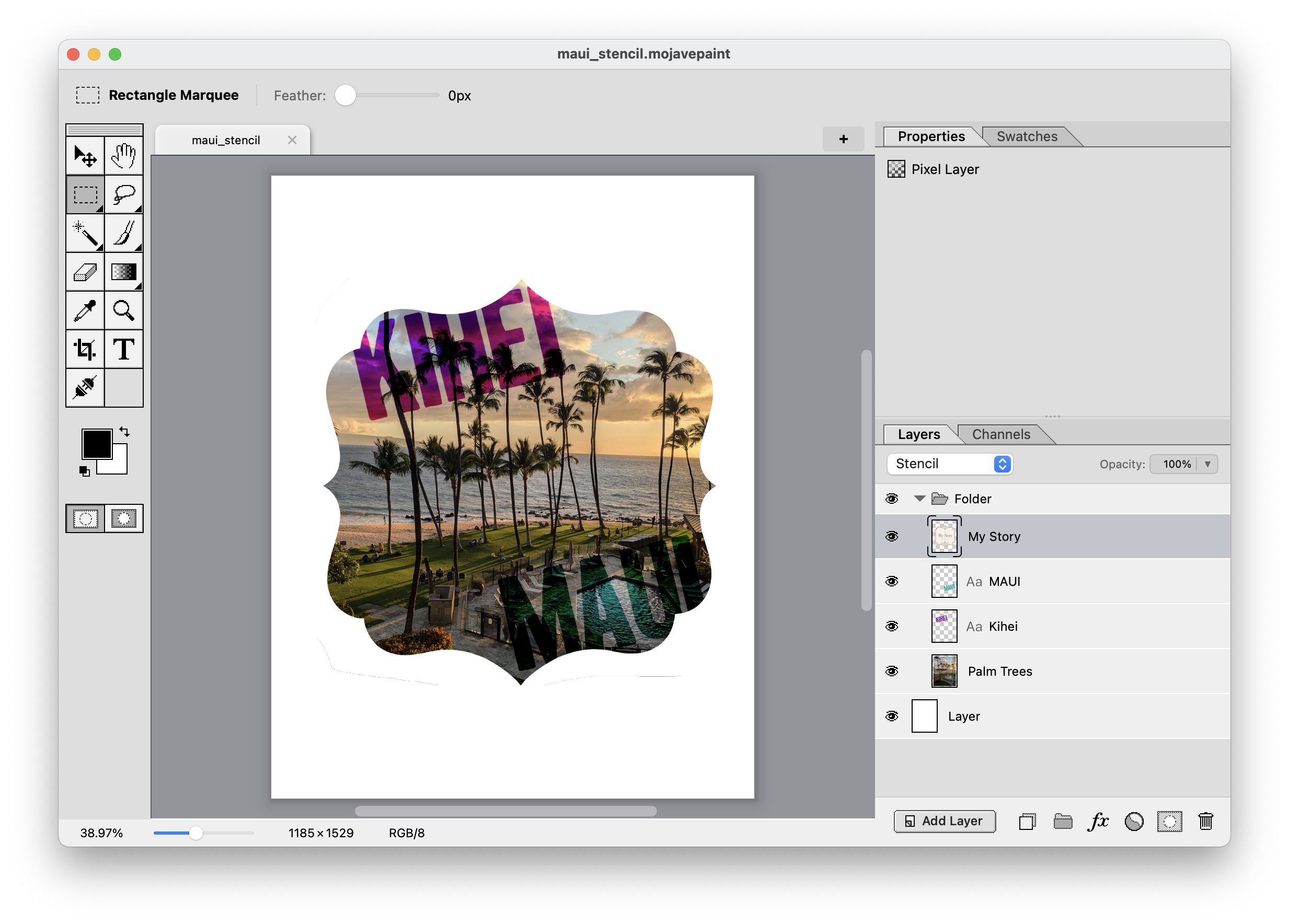
Why do it this way? For one it saves me from building a custom UI experience, which is by far the most time-consuming part of building this app. And for two, I like the idea of UNIX-style basic primitives that you compose together. Us software engineers are all passionate about different qualities in software — testability, security, scalability, what have you — but for me that thing has always been "orthogonality." Which literally means things meeting at perpendicular angles, but what it means in practice, in software, is building things so intrinsically correct that they compose together in ways you never even envisioned while building them.
So in this case, nothing special needed for clipping, just use the blend mode concept we already have!
Edit 2026-10-15: This post is superceded by a new blog post detailing real mask-based clipping, which is both more powerful and more flexible then just using blend modes. See that here.